Free Electronic Signature Software: The Best Tools to Sign Documents Online in 2026

Introduction
The way businesses handle documents has changed dramatically over the last decade. As remote work, digital collaboration, and online transactions continue to grow, organizations and individuals are increasingly looking for faster and more efficient ways to manage paperwork. Traditional printing, signing, scanning, and mailing processes are rapidly becoming outdated.
Electronic signatures have emerged as a practical solution for modern document management. Whether you're a freelancer sending contracts, an HR professional onboarding employees, or a small business owner finalizing agreements, electronic signatures help streamline workflows while reducing administrative burdens.
The good news is that you don't always need an expensive enterprise platform to get started. Today, numerous free electronic signature software solutions provide secure, legally compliant, and user-friendly tools that allow users to sign documents online without significant costs.
In this guide, we'll explore the best free electronic signature software options available in 2026 and help you choose the right solution for your needs.
What Is Electronic Signature Software?
Electronic signature software enables users to sign documents digitally without printing physical copies. These platforms allow users to create, send, receive, and manage signed documents electronically.
An electronic signature can take several forms, including:
Typed names
Drawn signatures
Uploaded signature images
Click-to-sign actions
Biometric signatures
How E-Signature Software Works
Most electronic signature tools follow a simple workflow:
Upload a document.
Add signature fields.
Send the document to recipients.
Recipients sign electronically.
The completed document is securely stored and shared.
Many platforms also provide audit trails, timestamps, identity verification, and document tracking features.
Are Electronic Signatures Legally Valid?
In many countries, including the United States, Canada, the United Kingdom, Australia, and most European Union nations, electronic signatures are legally recognized when they meet applicable legal requirements.
Compliance standards often include:
ESIGN Act
UETA
eIDAS
GDPR-related security requirements
Always verify local regulations before using electronic signatures for highly regulated documents.
Benefits of Using Free Electronic Signature Software
Faster Document Approvals
Instead of waiting days or weeks for physical paperwork, documents can be signed within minutes. This accelerates sales cycles, hiring processes, and client approvals.
Reduced Paperwork and Costs
Organizations can eliminate printing, shipping, scanning, and storage expenses. Even small businesses can save considerable time and resources by adopting digital workflows.
Improved Productivity
Automated document workflows reduce manual tasks, allowing teams to focus on higher-value activities.
Enhanced Security and Tracking
Many e-signature software platforms provide:
Encryption
Audit logs
Access controls
Activity tracking
Secure cloud storage
These features help protect sensitive information and maintain compliance.
Better Remote Collaboration
Electronic signatures make it easy for distributed teams, clients, and partners to sign documents from anywhere using a computer, tablet, or smartphone.
Top Free Electronic Signature Software in 2026
1. WeSignature
Overview
WeSignature is a modern electronic signature platform designed to simplify document signing for businesses, freelancers, and individuals. It offers a straightforward approach to managing digital signatures while maintaining security and usability.
Key Features
Easy document uploads
Digital signature requests
Secure cloud storage
Document tracking
Multi-device accessibility
User-friendly dashboard
Best Use Cases
Small businesses
Freelancers
Startups
Consultants
Client contract management
Free Plan Limitations
Specific limitations may vary depending on the current plan structure, but users should review available features before scaling usage.
2. DocuSign
Overview
DocuSign remains one of the most recognized names in the e-signature industry. It serves businesses of all sizes and offers advanced document workflow capabilities.
Key Features
Extensive integrations
Mobile signing
Advanced security controls
Workflow automation
Global compliance support
Best Use Cases
Large organizations
Legal teams
Enterprise document management
Free Plan Limitations
Free access is typically limited and may restrict document volume or advanced functionality.
3. Dropbox Sign (Formerly HelloSign)
Overview
Dropbox Sign combines simplicity and usability, making it popular among small businesses and remote teams.
Key Features
Intuitive interface
Dropbox integration
Team collaboration
Template creation
Audit trails
Best Use Cases
Remote teams
Small businesses
Contract management
Free Plan Limitations
Document signing limits may apply on free accounts.
4. SignWell
Overview
SignWell focuses on providing a streamlined document-signing experience for businesses and independent professionals.
Key Features
Document templates
Automated reminders
Signing workflows
Audit reporting
Easy setup
Best Use Cases
Freelancers
Agencies
Small businesses
Free Plan Limitations
Monthly document limits may apply.
5. PandaDoc
Overview
PandaDoc goes beyond signatures by offering document creation, proposals, and workflow automation.
Key Features
Proposal builder
Document analytics
Templates
E-signatures
CRM integrations
Best Use Cases
Sales teams
Marketing agencies
Growing businesses
Free Plan Limitations
Advanced automation and collaboration tools may require paid plans.
6. Adobe Acrobat Sign
Overview
Adobe Acrobat Sign leverages Adobe's expertise in document management to deliver a trusted digital signing solution.
Key Features
PDF integration
Enterprise-grade security
Cloud storage support
Workflow automation
Mobile accessibility
Best Use Cases
PDF-heavy workflows
Corporate environments
Administrative teams
Free Plan Limitations
Many advanced capabilities are reserved for premium subscriptions.
Why WeSignature Stands Out
Among the growing number of electronic signature tools available today, WeSignature offers a balanced combination of simplicity, affordability, and functionality.
User-Friendly Interface
Many users adopt electronic signatures to reduce complexity, not add more of it. WeSignature provides a clean and intuitive interface that makes document signing accessible even for first-time users.
Quick Document Uploads and Signing Workflows
Users can upload documents, add signature fields, and send requests quickly. This streamlined workflow helps reduce turnaround times for contracts and agreements.
Secure Cloud-Based Document Management
Documents are securely stored in the cloud, allowing users to access and manage signed files from virtually anywhere.
Suitable for Multiple User Types
Whether you're:
A freelancer managing client agreements
A startup handling vendor contracts
An HR professional onboarding employees
A small business processing approvals
WeSignature offers practical features that fit a wide range of use cases.
Cost-Effective Alternative
Many organizations seek affordable digital signature solutions without sacrificing core functionality. WeSignature provides a practical option for users who want efficient document management without enterprise-level costs.
Easy Sharing and Signature Requests
Sending documents for signatures is straightforward, helping teams maintain professional workflows while reducing administrative effort.
Overall, WeSignature helps organizations streamline document workflows while keeping the signing experience simple, secure, and professional.
How to Choose the Best Free Electronic Signature Software
Selecting the right document signing software depends on your specific needs.
Ease of Use
Look for platforms with intuitive interfaces and minimal learning curves.
Security Features
Prioritize solutions that offer:
Encryption
Audit trails
Access controls
Authentication options
Legal Compliance
Ensure the platform supports relevant regulations in your jurisdiction.
Integration Capabilities
Consider compatibility with:
CRM systems
Cloud storage platforms
Productivity tools
Project management software
Free Usage Limits
Review:
Number of documents allowed
Monthly signature limits
User restrictions
Storage allowances
Team Collaboration Features
Organizations with multiple stakeholders should evaluate workflow automation, approval routing, and collaborative tools.
Common Use Cases for Electronic Signature Software
Contracts and Agreements
Businesses can execute sales contracts, vendor agreements, and service contracts faster than traditional paper processes.
HR Onboarding Documents
Employee offer letters, policy acknowledgments, and onboarding forms can be completed digitally.
Client Approvals
Agencies and consultants can obtain approvals quickly while maintaining clear documentation.
Freelance Project Agreements
Freelancers can streamline client engagements through digital contract signing.
Real Estate Paperwork
Agents and property managers often use electronic signatures to accelerate transactions.
Educational and Administrative Forms
Schools, universities, and organizations can digitize consent forms, registrations, and administrative paperwork.
Frequently Asked Questions
Is free electronic signature software legally binding?
In many jurisdictions, electronic signatures are legally binding when they comply with applicable laws and regulations.
What is the difference between electronic and digital signatures?
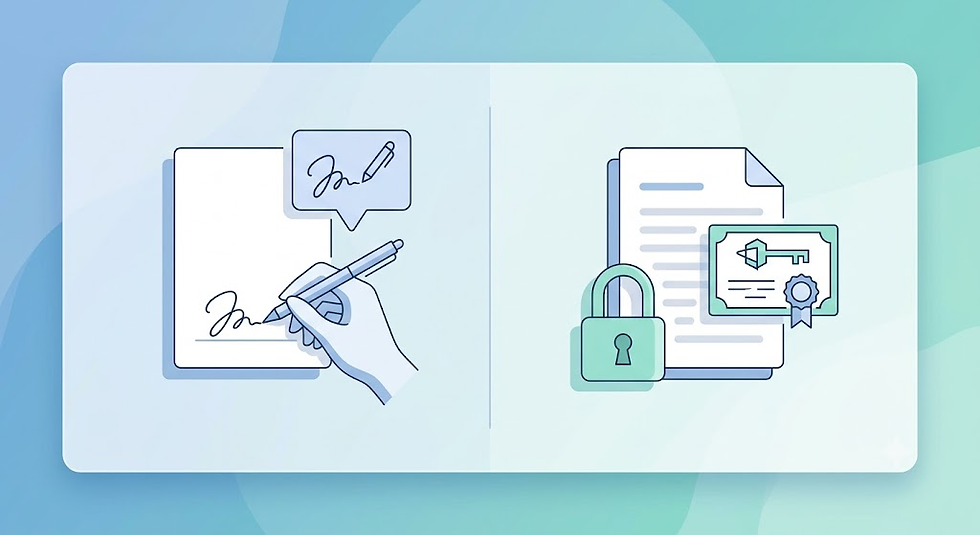
Electronic signatures indicate agreement electronically, while digital signatures use cryptographic technology to provide additional identity verification and security.
Is WeSignature suitable for small businesses?
Yes. WeSignature is particularly well-suited for small businesses, startups, freelancers, and professionals seeking a straightforward and affordable electronic signature solution.
Are free e-signature tools secure?
Many reputable providers implement encryption, audit trails, authentication measures, and secure storage to protect documents and user information.
Can I sign PDFs online for free?
Yes. Many free electronic signature software platforms allow users to upload and sign PDF documents online without printing or scanning.
Conclusion
Electronic signatures have become an essential component of modern business operations. As organizations continue to embrace digital transformation in 2026, the demand for secure, efficient, and affordable document-signing solutions will only increase.
Free electronic signature software helps businesses reduce paperwork, accelerate approvals, improve collaboration, and maintain professional document workflows without significant investment.
Whether you choose DocuSign, Dropbox Sign, SignWell, PandaDoc, Adobe Acrobat Sign, or another solution, it's important to evaluate your specific requirements for security, compliance, integrations, and usability.
For businesses and professionals looking for a user-friendly and cost-effective option, WeSignature is certainly worth evaluating alongside other leading electronic signature platforms when selecting the best free electronic signature software for their needs.
Comments